Enable the From Field in Outlook
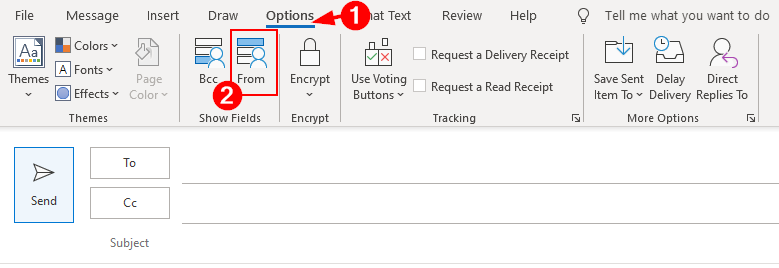
By default Outlook hides the ‘From’ field. To use this function, open a new email message, select the Options tab and select From in the Show Fields section
Sending an Email as Another User
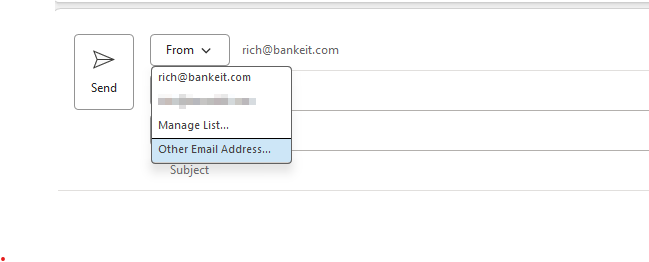
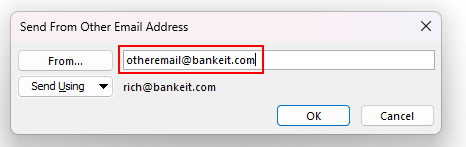
The From field remembers addresses you’ve used before but is empty the first time you use it. You will need to type the email address you’re sending from the first time you use this feature