
Some applications require ActiveX to be enabled for scripting purposes, this guide will walk you through enabling the feature in Excel.
- Open Excel
- In the top left, click “File”
- In the bottom left, click “Options”
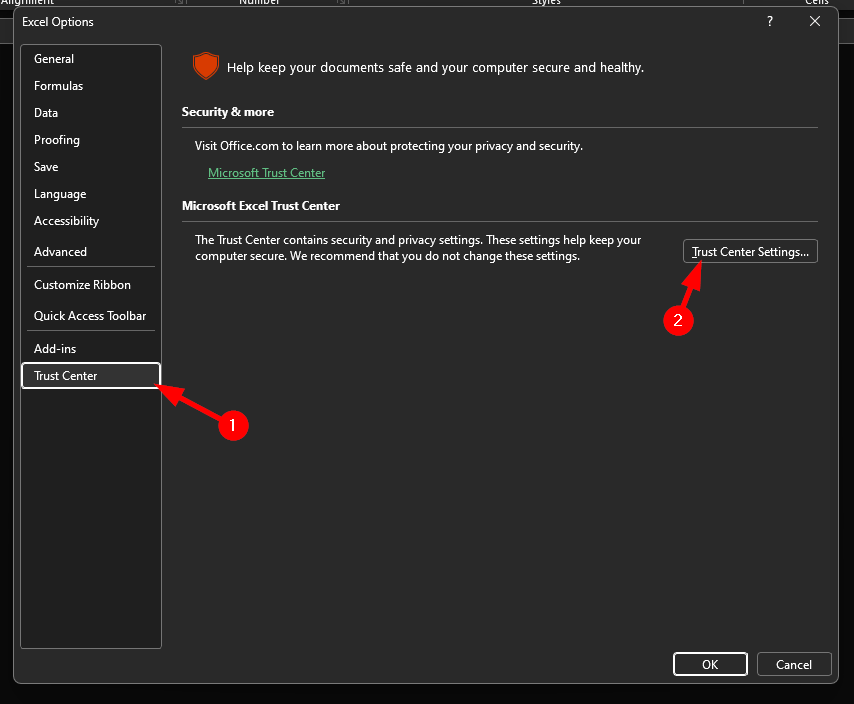
- Click “Trust Center”, then “Trust Center Settings”
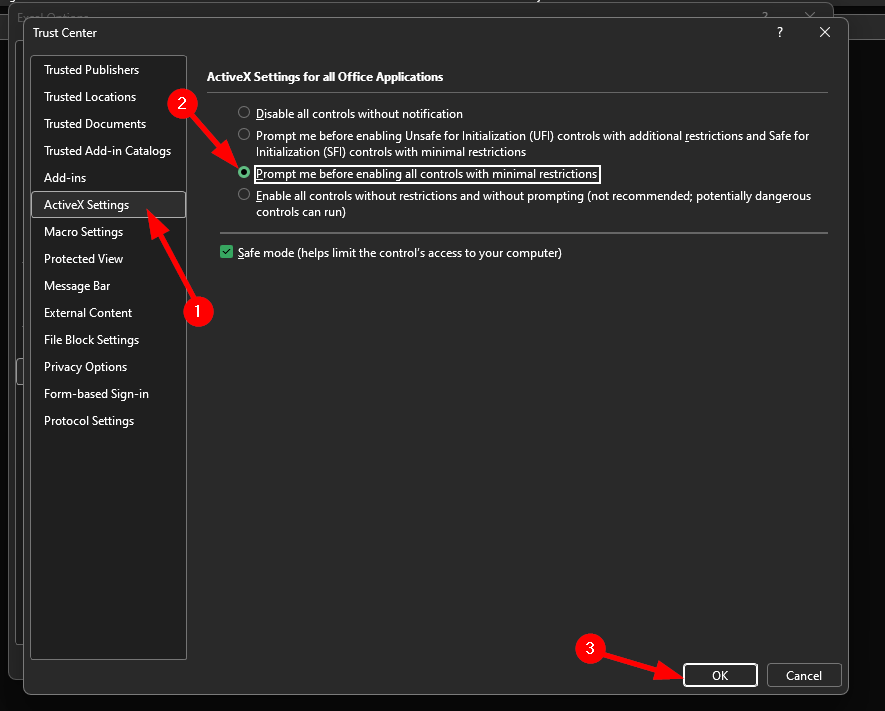
- Click “ActiveX Settings”, then select the third option and click “Ok”
- Click “Ok” and then restart Excel